
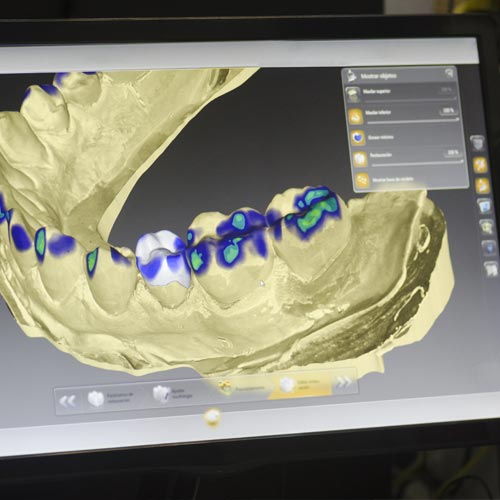
Choosing the right dental lab software can make or break your efficiency. The best solutions go beyond managing cases. They simplify billing, integrate seamlessly with your existing systems, and improve collaboration between your lab and dental partners.
In this guide, we’ll share five essential tips for selecting a reliable, cloud-based platform that supports growth and keeps your lab running smoothly.
Buyer’s Comparison Guide: What Matters Most When Evaluating Dental Lab Software
When you’re comparing dental lab software options, it helps to score each platform across a few non-negotiables. Use the quick comparisons below to narrow your shortlist.
Cloud vs. On-Prem: Which Model Fits Your Lab?
Cloud-based dental lab software is hosted by the vendor and accessed through the internet. It’s typically easier to deploy, keeps updates automatic, and supports remote access for owners and managers. It can be a strong fit if you want less IT overhead and faster scaling across locations.
On-prem (server-based) software is installed on your lab’s own hardware. It can offer more control over infrastructure, but it usually requires more in-house IT support, manual upgrades, and planning for server maintenance and backups.
Fast checklist for your decision:
- If you want faster rollout + lower IT load, lean cloud.
- If you need full local control + have IT resources, on-prem may fit.
- Either way, confirm: uptime expectations, backup/recovery, user permissions, and support response times.
Must-have Integrations
Dental lab software should integrate seamlessly with the tools that power your day-to-day operations. The goal is simple: reduce re-keying, avoid missed details, and keep cases moving.
Look for integrations (or strong import/export options) that support:
- Digital case intake (files, scans, photos, Rx details, and notes)
- Practice-facing portals (status updates, approvals, messaging)
- Payment + invoicing workflows
- Shipping/labeling tools and tracking updates
- Accounting sync or exports (so billing doesn’t become a bottleneck)
If your lab uses scanners, portals, accounting tools, or shipping workflows, confirm compatibility early—see supported dental lab software integrations before you make a shortlist.
Billing & Invoicing
Pricing and production may win the relationship, but billing keeps it profitable. Compare how each platform handles:
- Fee schedules by client and case type
- Itemized invoices that match how dentists expect to see charges
- Credits, remakes, and adjustments
- A/R tracking and aging reports
- Payment posting (manual or integrated)
Case Tracking
The best systems make it easy to answer: Where is this case right now? Look for:
- Real-time case status
- Stage-based production tracking (e.g., design, print/mill, finish, QC, and ship)
- Due-date logic that accounts for turnaround times and capacity
- Search + filters by client, due date, stage, rush flags, and technician
Evaluating Case Intake and Production Workflow
Make sure the software supports real lab workflows (from Rx intake to delivery).
A common pitfall is choosing a platform that looks great in a demo, but doesn’t match how cases actually move through your lab. The right dental lab software should reduce back-and-forth, keep production aligned, and make it obvious what needs attention next.
Here’s what to check during evaluation:
1. Rx Intake & Attachments (Without Missing Info)
Your system should capture everything you need at the start of the case:
- Rx details, materials, shade info, and special instructions
- Attachments like scans, photos, and supporting documents
- A clear way to flag missing details and request clarification quickly
2. Production Stages That Mirror Your Lab
Whether you're a multi-location organization or a small lab, look for stage-based tracking that fits how you produce:
- Customizable stages (design, print/mill, finish, QC, ship)
- Easy handoffs between roles/technicians
- A clear audit trail: who touched what, and when
3. Remake Tracking That Doesn’t Become Chaos
Remakes happen; what matters is how cleanly you can track them:
- Mark a remake with a reason (fit, shade, margin, occlusion, etc.)
- Link the remake to the original case
- Report on remake rates so you can spot patterns and fix root causes
4. Due-Date Logic and Capacity Awareness
A due date is only helpful if it’s realistic. Strong platforms support:
- Turnaround time rules (by case type/client)
- Rush handling and priority flags
- Views that help managers balance the schedule and avoid bottlenecks
5. Doctor Notifications and Client Visibility
The best experience for your clients is proactive communication:
- Automated or one-click status updates
- Messaging tied to the case (so nothing gets lost)
- Optional portal access so practices can self-serve for status, invoices, and files
Bottom line: If the software can’t handle intake, tracking, remakes, and due dates cleanly, it will create more work.
See how real labs save time and reduce errors in our MicroDental case study.
Scalability
A tool that fits today should still work when you add new clients, staff, or even locations. Evaluate:
- Role-based permissions (front office vs production vs manager)
- Multi-location support
- Reporting depth (production, turnaround times, remake rates, profitability)
- Automation options (alerts, status updates, task routing)
Updated 01/30/2025
Want to see how case intake, production stages, billing, and client updates work in a real workflow? Schedule a dental lab software demo, and we’ll walk through your typical day, from Rx to delivery.
